 Voita Electronic
Voita Electronic
Voita Electronic
Choosing an Uninterruptible Power Supply is not simply a matter of buying the largest battery available. It is a decision about continuity, equipment safety, operating cost, and recovery time. A server room may need stable power for networking equipment, storage arrays, cooling controls, and security systems. Each load behaves differently during an outage.
Neil Rasmussen, APC founder and a respected data-center power specialist, described the UPS as “the heart of the data center power system.” This idea remains useful. A reliable Uninterruptible Power Supply must do more than keep lights on. It should filter unstable voltage, respond quickly to interruptions, and provide enough runtime for an orderly shutdown or generator transfer. The right choice begins with measured wattage, not guesswork. Check both watts and VA ratings. Then add reasonable capacity for growth.
Small details matter. A line-interactive model may suit office computers and network switches. Online double-conversion technology can better protect sensitive medical, industrial, or data-center equipment. Battery chemistry also changes maintenance, weight, temperature tolerance, and replacement costs. Runtime depends on the actual load, not the number printed on the box.
Do not ignore the room. Heat shortens battery life. Dust affects ventilation. Poorly planned cables complicate maintenance. A common mistake is choosing a UPS that fits today’s demand exactly. That feels efficient, but it leaves little room for expansion or battery aging. There is no perfect specification. The best selection balances risk, budget, runtime, efficiency, and service support. Even careful planning can miss something. Testing exposes those weaknesses before an outage does.
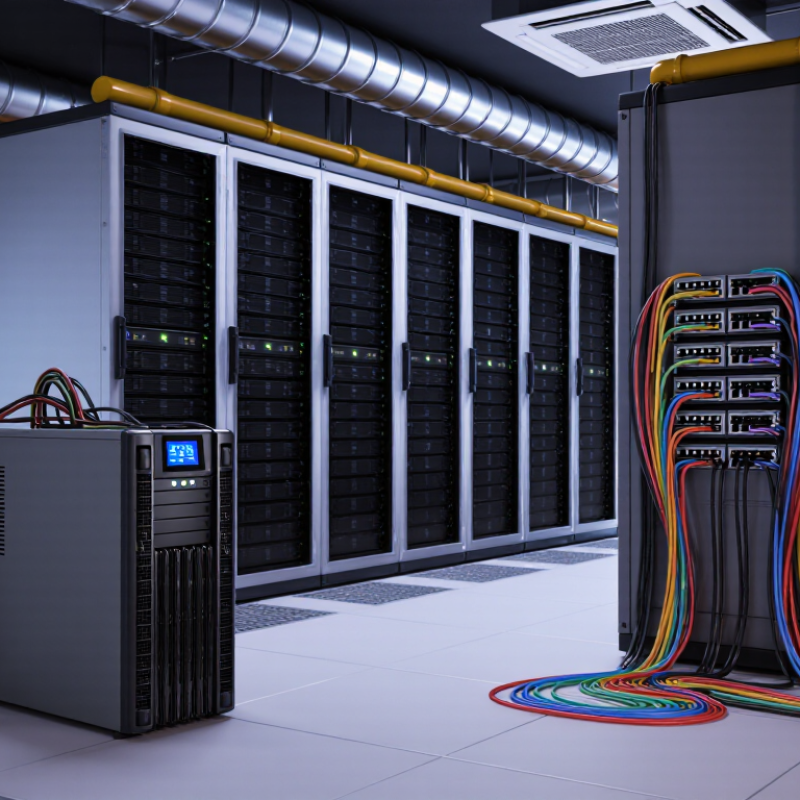
How to Choose an Uninterruptible Power Supply?
What an Uninterruptible Power Supply Does and Why It Matters
An uninterruptible power supply, or UPS, creates a short-term power bridge between a wall outlet and your equipment. When voltage drops, spikes, or disappears, its battery and inverter provide temporary electricity. That pause may last only minutes. It can still protect a computer, network device, or monitoring system from an abrupt shutdown. Many UPS units also reduce the effects of unstable input power. They do not replace generators. The battery is not endless.
Choose a UPS by measuring the real load, not just advertised wattage. Add the power used by the computer, display, storage devices, and network equipment. Leave room for startup demand and future additions. VA measures apparent power, while watts indicate usable output. Both figures matter. A line-interactive design can correct moderate voltage changes efficiently. An online design provides tighter conditioning for sensitive equipment, but often costs more and creates extra heat. Runtime depends on load, battery age, temperature, and maintenance.
Place the UPS where air can circulate, then test it before an outage. Simulate a controlled power loss and check the automatic shutdown settings. Record the actual runtime. A practical lesson is easy to miss: five minutes on a specification sheet may become three minutes in reality. That estimate can be optimistic. If alarms sound repeatedly, investigate instead of muting them. A UPS cannot repair overloaded circuits or poor grounding. During an outage, tested backup power gives people time to save work and shut systems down safely.
| Selection Dimension | Standby UPS | Line-Interactive UPS | Online Double-Conversion UPS | Why It Matters |
|---|---|---|---|---|
| Primary function | Provides battery power during an outage. | Provides battery power and corrects moderate voltage fluctuations. | Continuously converts incoming AC to DC and back to regulated AC. | Defines the level of protection against outages, sags, surges, and electrical noise. |
| Typical transfer time | Approximately 2–10 milliseconds. | Approximately 2–10 milliseconds. | Typically 0 milliseconds because the inverter continuously supplies the load. | Sensitive equipment may reset or shut down if the transfer is too slow. |
| Voltage regulation | Limited; generally passes utility voltage through when available. | Good; automatic voltage regulation can raise or reduce voltage without using the battery. | Excellent; output voltage and frequency are actively regenerated. | Stable voltage reduces stress on power supplies and electronic components. |
| Power protection | Basic outage and surge protection. | Outage, surge, sag, and moderate overvoltage protection. | Broad protection from outages, voltage variation, frequency variation, and many forms of electrical noise. | The required protection level depends on equipment sensitivity and the quality of the local power supply. |
| Typical efficiency | About 95–99% in normal operating mode. | About 95–99% in normal operating mode. | About 90–97%, depending on load and operating mode. | Higher efficiency generally means lower heat output and operating cost. |
| Typical applications | Home networking equipment, basic workstations, and non-critical peripherals. | Desktop computers, small servers, network devices, point-of-sale systems, and office equipment. | Critical servers, medical equipment, industrial controls, telecommunications, and data-processing systems. | Matching the UPS topology to the application avoids unnecessary cost or insufficient protection. |
| Recommended capacity margin | Keep the connected load at no more than 70–80% of the UPS watt rating. | Keep the connected load at no more than 70–80% of the UPS watt rating. | Keep the connected load at no more than 70–80% of the UPS watt rating, unless the manufacturer specifies otherwise. | Headroom supports startup currents, future expansion, and longer battery runtime. |
| Battery runtime at full rated load | Often approximately 3–10 minutes. | Often approximately 3–15 minutes. | Often approximately 3–15 minutes, with optional external battery cabinets for longer runtime. | Runtime varies with load, battery age, temperature, and battery capacity; manufacturer runtime charts should be checked. |
| Sizing method | Select both a VA rating and a watt rating above the measured equipment load. | Select both a VA rating and a watt rating above the measured equipment load. | Select based on total watts, required runtime, power factor, redundancy, and expansion plans. | VA alone is not sufficient; the UPS must support the actual watt demand. |
| Noise and heat | Usually low noise and low heat during normal operation. | Usually low noise; fan operation depends on load and design. | May produce more heat and fan noise because the inverter operates continuously. | Ventilation, room temperature, and acoustic requirements affect installation choices. |
| Battery replacement interval | Commonly 3–5 years for valve-regulated lead-acid batteries. | Commonly 3–5 years for valve-regulated lead-acid batteries. | Commonly 3–5 years for valve-regulated lead-acid batteries; service life depends on temperature and usage. | Battery health directly affects available runtime and backup reliability. |
| Essential features to check | Audible alarms, surge protection, USB communication, and replaceable battery. | Automatic voltage regulation, replaceable battery, USB or network communication, and shutdown software. | Zero-transfer design, bypass function, monitoring, scalable batteries, maintenance bypass, and generator compatibility. | Monitoring and controlled shutdown help prevent data loss and equipment damage. |
It provides temporary electricity when power drops, spikes, or disappears. Its battery and inverter create a short power bridge. Even three minutes can save unsaved work. The battery is finite.
No. A UPS usually supports equipment for minutes, not hours. It gives people time to save files and shut systems down safely. Do not treat it as endless power.
Measure the actual watts used by computers, monitors, storage, and network equipment. Add about 20% headroom for startup demand and future devices. Check VA and watt ratings together. Product labels alone can mislead.
Line-interactive units correct moderate voltage changes efficiently. Online units provide tighter power conditioning for sensitive equipment. They often cost more and produce extra heat. More conditioning is not always necessary.
Runtime charts are useful, but they may be optimistic. Actual runtime changes with load, temperature, battery age, and maintenance. Five listed minutes may become three minutes at your desk. Measure it yourself.
Count battery-backed outlets separately from surge-protection outlets. Check spacing for large power adapters. Confirm whether each outlet supports the equipment’s required load. A crowded rear panel becomes inconvenient quickly.
USB or network management can send remote alerts. Useful features include load percentage, battery health, event logs, and automatic shutdown. One missed alarm can change your opinion about monitoring. I sometimes postpone testing, and that is a weakness.
Place it in a clean, dry, ventilated area with clear access. A qualified electrician should verify grounding, breakers, polarity, and local requirements. Never connect one UPS through another UPS. Inspect monthly for swelling, leakage, dust, heat, and loose connections. Record readings and replace batteries through approved procedures.
Choosing an Uninterruptible Power Supply begins with understanding how it protects electronic equipment from power interruptions, voltage fluctuations, surges, and unstable electrical conditions. The right unit should match the total load of connected devices and provide enough runtime for a safe shutdown or continued operation during an outage. To estimate capacity, add the wattage of all equipment, allow extra headroom for future needs, and consider how long backup power must last. Runtime depends on the battery, connected load, and operating conditions.
You should also select a UPS topology suited to your equipment and local power quality, then compare battery types, outlet arrangements, protection features, monitoring tools, and management options. Before use, install the unit in a well-ventilated location, follow electrical safety instructions, and avoid overloading outlets. Regular testing, battery inspections, firmware or monitoring updates, and timely battery replacement help maintain reliable protection. A careful evaluation ensures the UPS supports both everyday power stability and emergency continuity.
